
Roost - Personal Project
created in Loveable
As a semi-nomadic worker, I'm always on the hunt for the perfect spot to open my laptop and get into flow; somewhere with decent WiFi, enough outlets to actually charge my stuff, and a noise level that won't make me want to wear noise-canceling headphones inside a building.
Google gets me halfway there, but it can't tell me whether a café is packed wall-to-wall at 2 pm or if there's exactly one outlet awkwardly hidden behind a bookshelf. So I built something that could.
Roost is a crowd-sourced discovery app built specifically for remote workers. One place to find coffee shops, cafes, libraries, and co-working spaces, filtered by the things that actually matter: noise level, seating capacity, outlet availability, and more. Think Yelp, but for people who live and die by their laptop battery.
It also turned out to be the perfect excuse to dive into some new tools and get an honest, hands-on look at the world of vibe coding; the good, the chaotic, and everything in between. This is my experience and thoughts about working with AI to design new projects.
From a vision to function reality
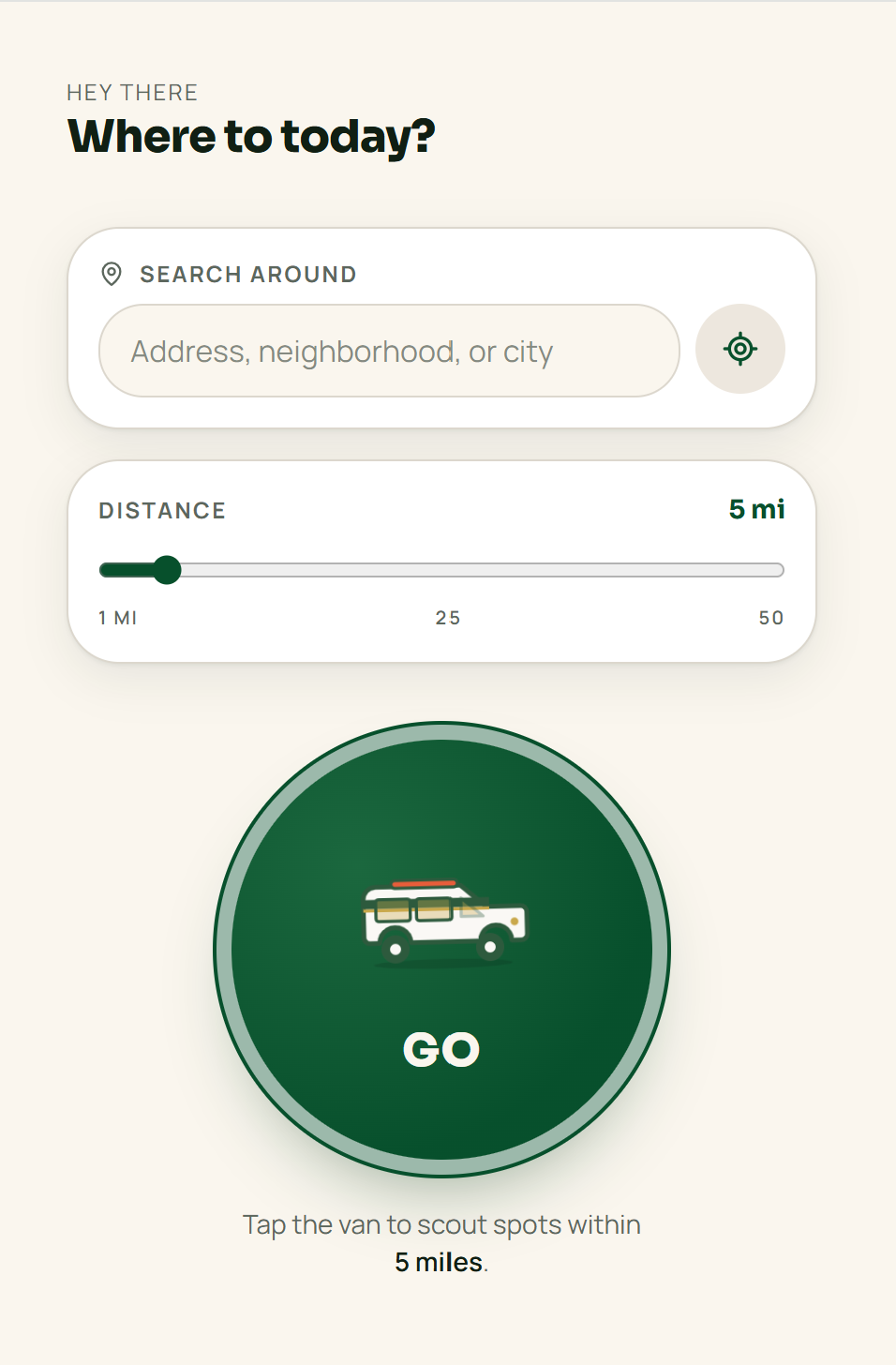
I had a clear vision of the basic functionality and aesthetic of the app. I wanted a large logo button for the user to start their search. Once they pushed the button and began their journey, they would be displayed results in their area. I knew I wanted the colors to be green, and I wanted the overall vibe to be fun and playful. Pretty basic start, but I was provided with a great base to build upon.
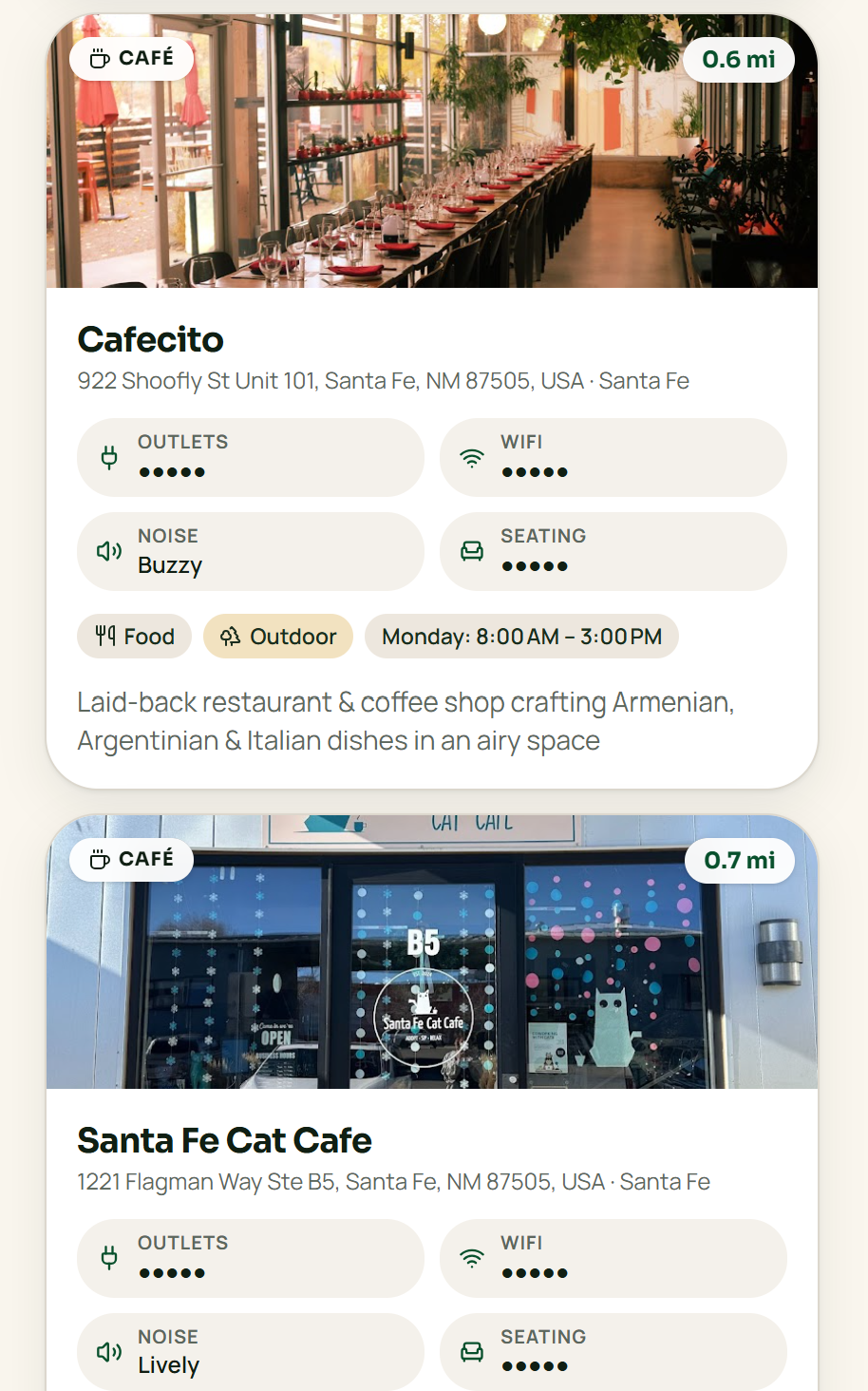
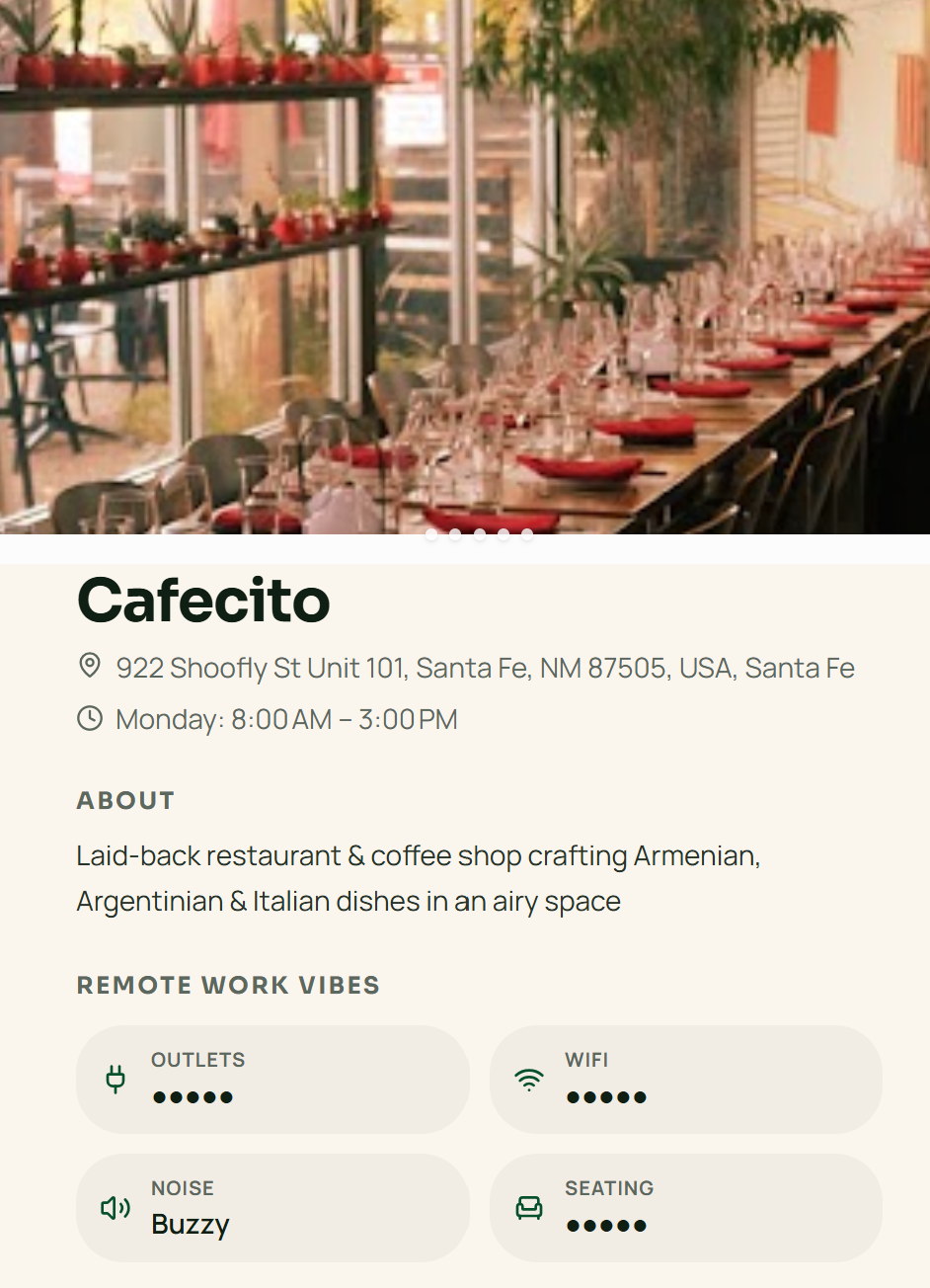
Before I focused on the details, I wanted to get all of my basic pages built out. So, I next turned my focus to the results page. I wanted a detailed view of each location where the user could get more information.
One benefit of working with AI is that you can easily add mock data to understand how your app will feel, look, and function. It makes the creative process much easier and faster!
Design is not linear
Iterate, iterate, iterate
Bugs still happen
When I am deep in my design flow I have ideas coming from every direction. There isn’t a step by step process when it comes to creativity and AI supports the creative process. For example, I wanted to add the ability to leave a review for a cafe, however, this made me realize the user would need the ability to create an account in order to leave a review. So, I had to work backwards from the creating the UI of leaving a review, to creating the ability to create and setup a profile. I would also need to provide access to edit the profile. One idea stemmed a whole new workflow! AI made it very easy to take this backwards approach to creating.
Collaborating with AI
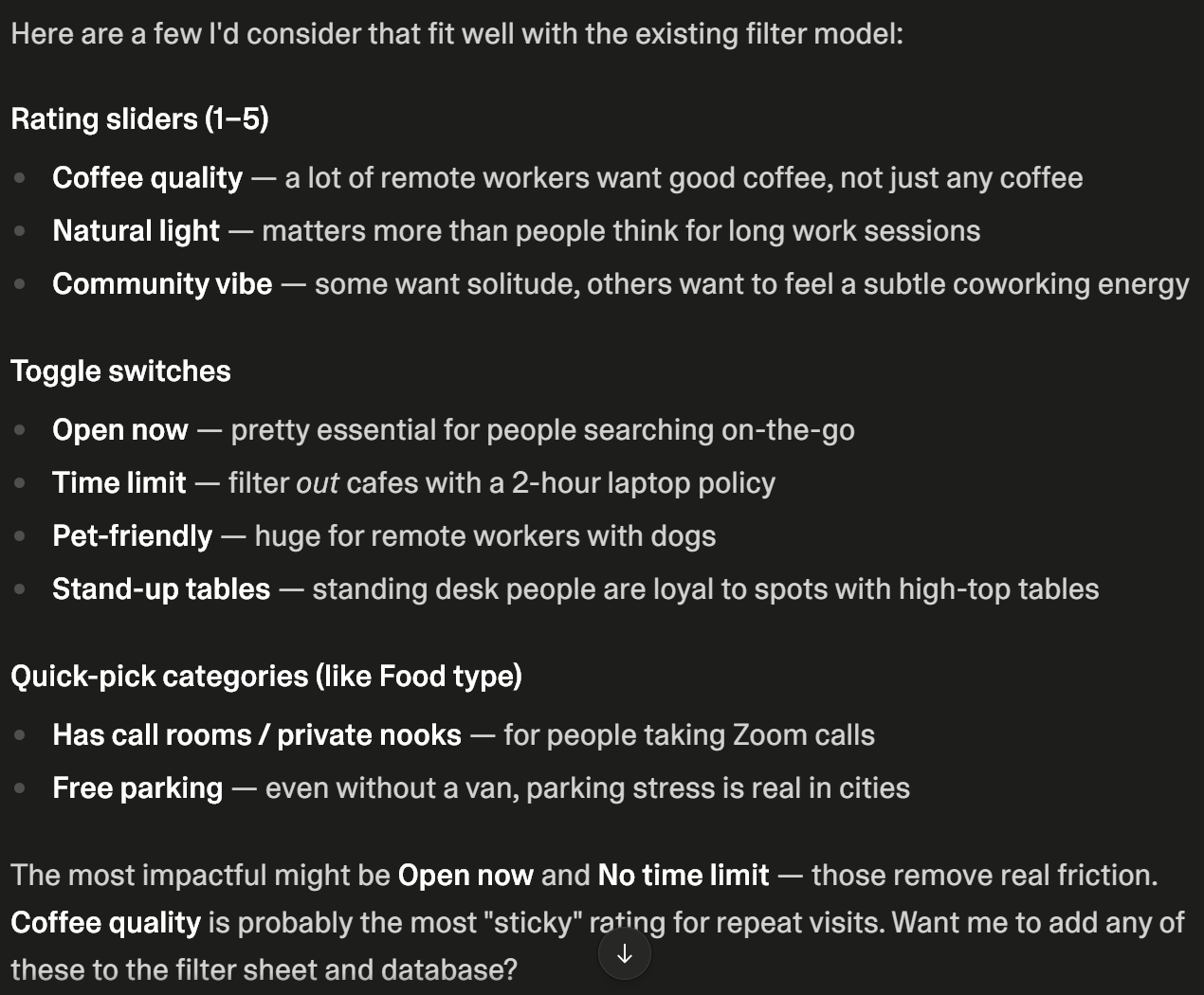
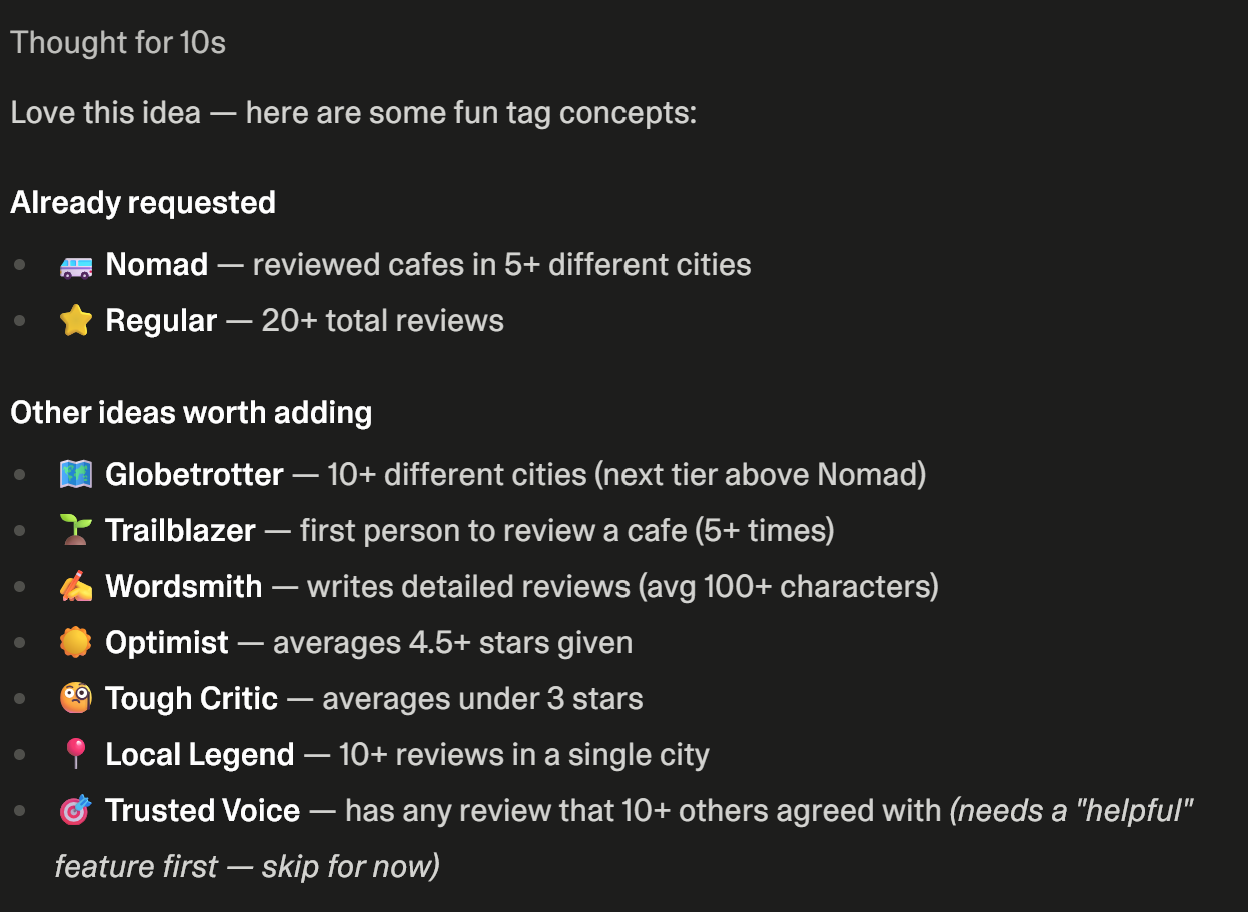
Think of AI as another designer on your team that you can bounce ideas off of and get input. This is one of the key values that AI can bring to your design. Three key areas where collaborating was helpful in the project were creating filters, adding engagement badges to profiles, and brainstorming ideas to monetize the app.
The way I approached collaboration was feeding AI a prompt with my ideas and asking if there are other ideas I should consider. This provided context of what I was looking for and the options given were very helpful!
Filter ideas
Key takeaways
Engagement badge ideas
The key to working with AI is to continue to improve, change, provide more functionality, and iterate! AI is great at providing a great basic design, but to create a beautiful project and take it to the next level, you have to push the boundaries and move it away from AI-generated to designer-generated.
If you're providing great prompts, then AI is going to create a great base for you to start with; however, it still requires design thinking to make it an outstanding product!
I spent so much time and iterations focusing on the details: moving icons, changing icons, elevating the user experience. The details matter and AI will miss the mark unless you direct it to create a better experience.
AI is not perfect and as your project grows and becomes more complex bugs will happen. At one point the navigation in my app completely broke! I had to review every single link of navigation and fix it.
Diagnosing bugs can be very challenging. As your project grows it becomes slower and doesn’t run as smoothly. I found it hard to understand if this was performance lagging or if it was truly a bug. To make matter worse is sometimes AI thinks something is working when it isn’t. It took re-prompting and reframing my prompts to eventually fix some of the issues I was having.
Luckily, I’m a perfectionist and until I can see something working as I expect it to, it isn’t good enough for me.
AI is valuable tool for creating prototypes and fully functional products. As someone who only knows basic coding, I felt empowered because I could make my idea come to life! I was even able to add integrations to Google and Stripe for payments.
It has limitations. This is a pretty simple app, but as the code began to grow there were issues with speed and bugs. There are approaches that would provide efficiency and cleaner code. Starting from a wireframe and requirements would not only speed up the design process, but it would create cleaner code by taking a structured approach.
Design thinking is still a necessity. AI will create a nice place to start, but it will make interesting decisions along the way that still need correction. It’s great at layout, but the user experience still requires critical thinking.
Overall, I’m excited to incorporate AI into more of my design work as an additional tool in the tool box.